How to invoke API
Use the API Exploration for a quick demo.
All the query parameters are available for other access methods mentioned in Data Access Methods
Example 1: Step by step guidelines to invoke the API
Use the Get Sessions as an example.
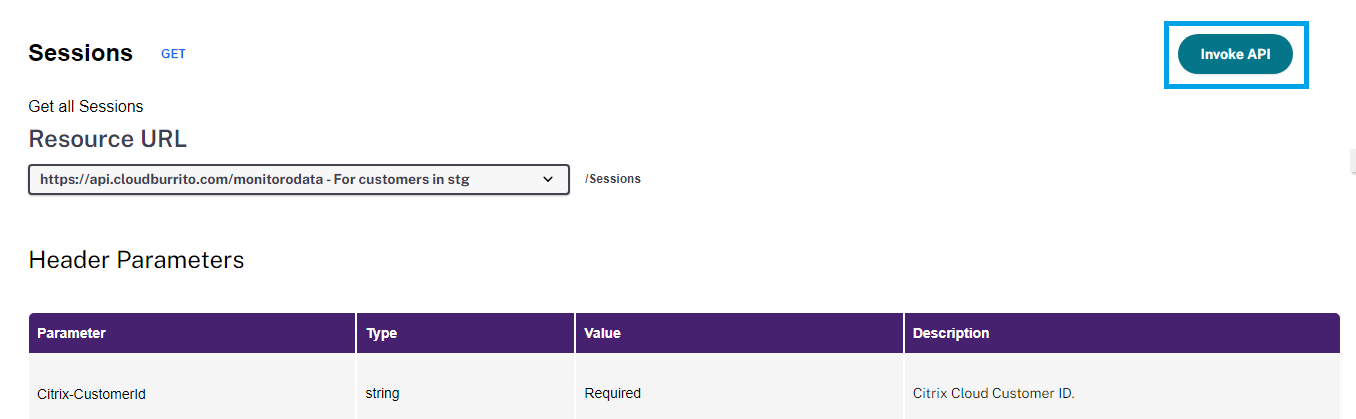 Step 1. Choose the URL based on your region and click
 Invoke API.
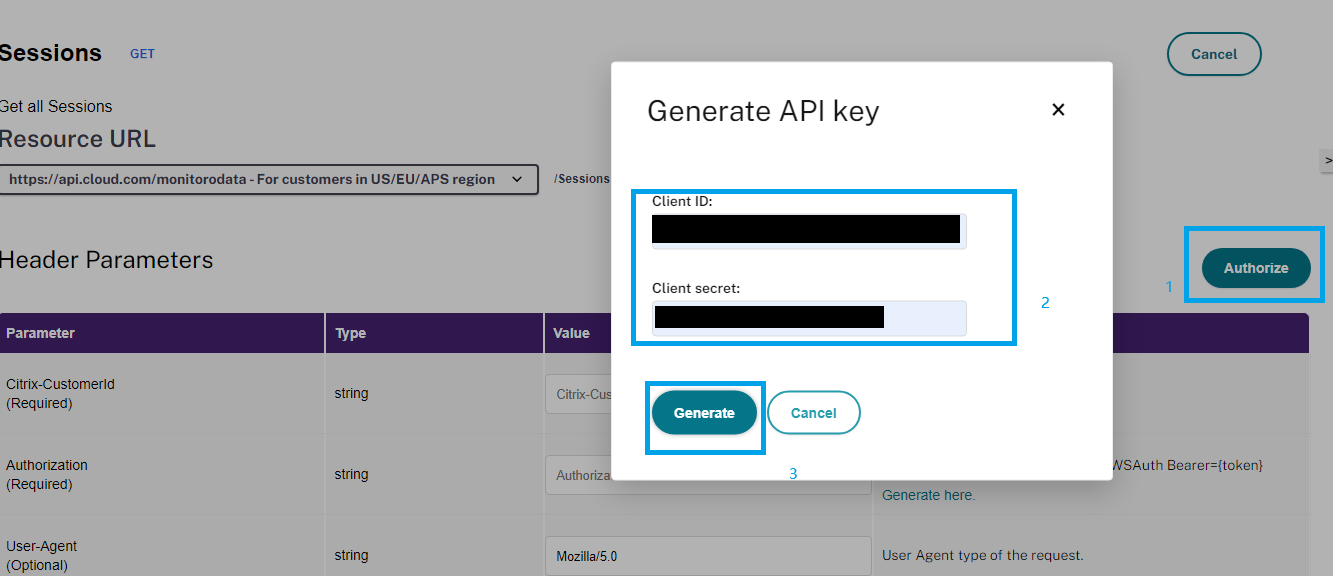 Step 2. Click the
 Authorize and fill in the Client ID and Client secret, then click Generate.
Refer to the Get started with Citrix Cloud APIs section to create the Client ID and Client secret.
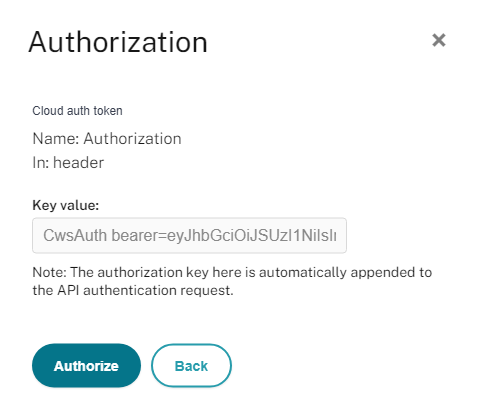
Step 3. Click Authorize. The authorization key is automatically appended to the API authentication request.
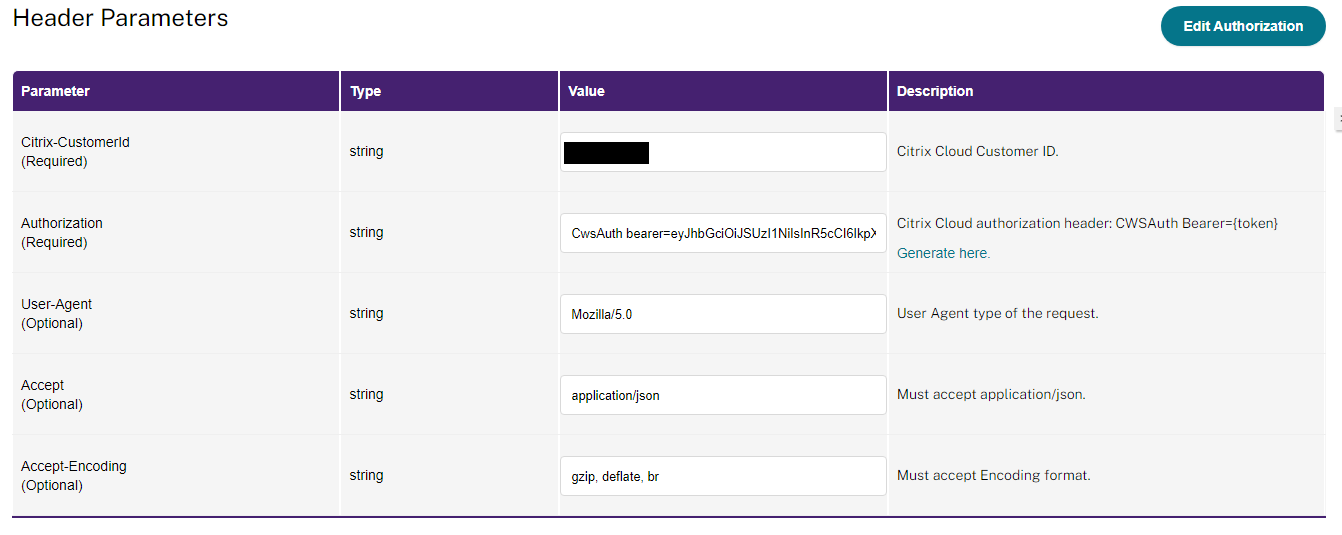 Step 4. Fill in the header parameters.
- Citrix-CustomerId: Your customerID
- Authorization: Automatically appended in Step3, no need to change.
- User-Agent: Automatically filled, no need to change.
- Accept: Automatically filled, no need to change.
- Accept-Encoding: Automatically filled, no need to change. Encoding can reduce bandwidth, saving on costs.
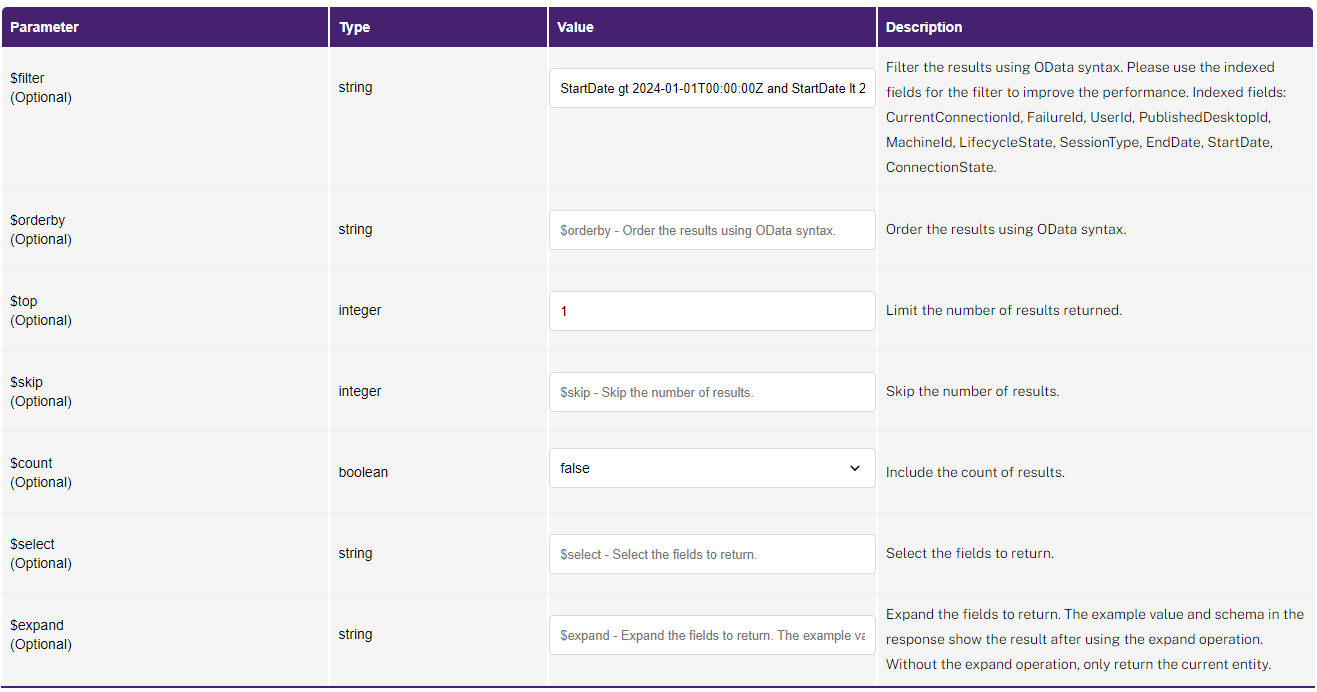 Step 5. Fill in the query parameters.
- $filter: Filter the results using OData syntax. Add a default filter as a example for each entity. Please use the indexed fields for better performance.
- $orderby: Order the results using OData syntax.
- $top: Limit the number of results returned. Here is 1 for sample, please adjust or remove it as your requirement.
- $skip: Skip the number of results.
- $count: Include the count of results.
- $select: Select the fields to return. Use this operation to return the fields required can reduce bandwidth, saving on costs.
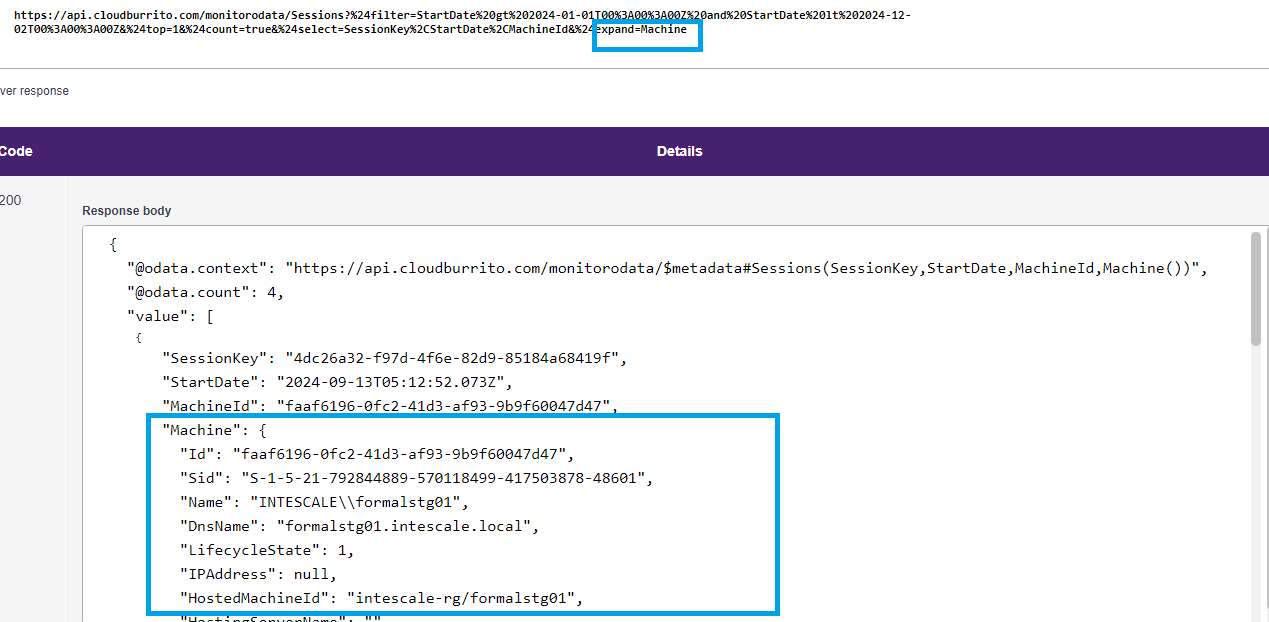
- $expand: Expand the fields to return. The example value and schema in the response show the result after using the expand operation. Without the expand operation, only the current entity will be displayed, and the related entities will not be shown.
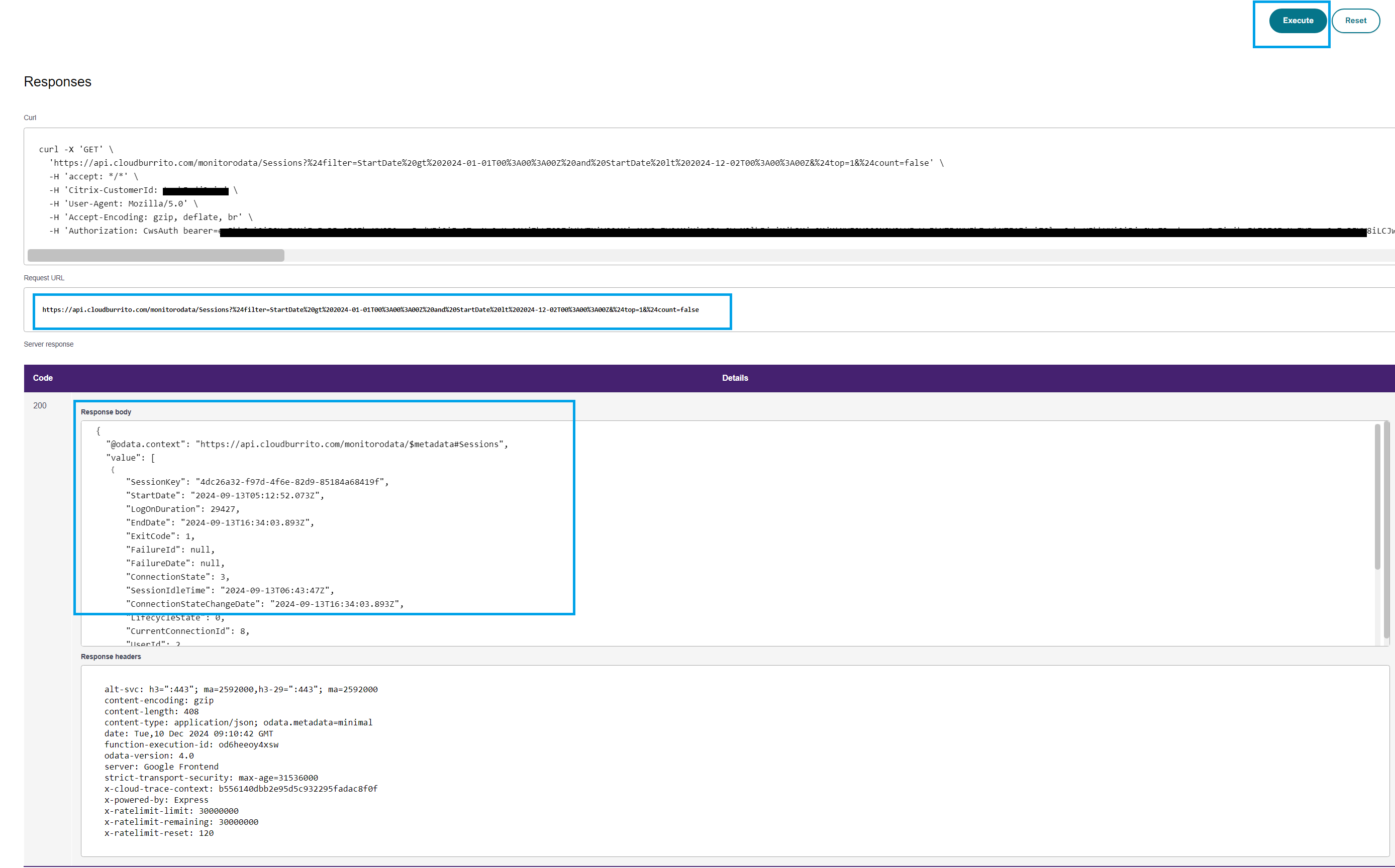 Step 6. Click
 Execute then check the reponse.
All the query parameters will be shown in the Request URL
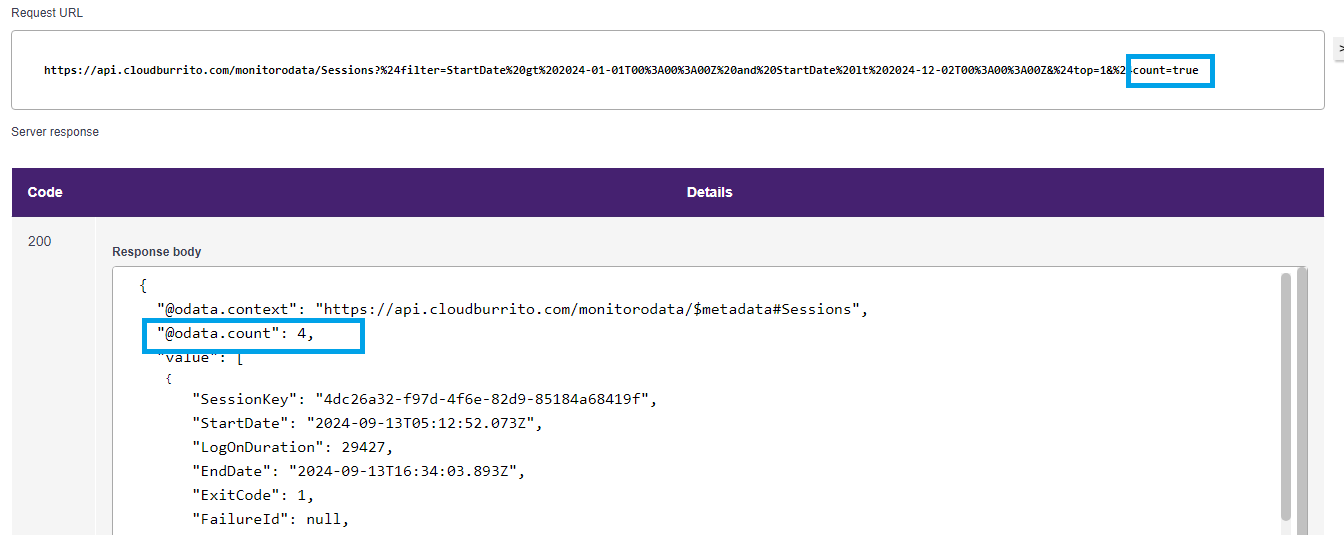
Example 2: The $count operation
Try setting $count=true in the query parameter.

The response will contain the response record count under field @odata.count.
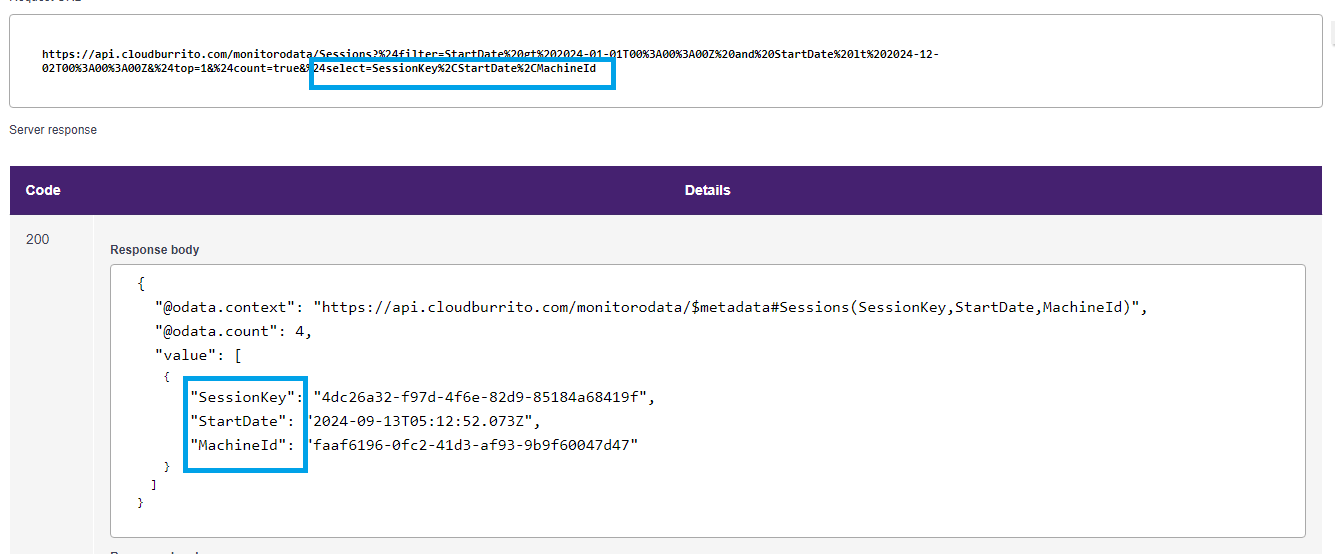
Example 3: The $select operation
Try populating the $select field in the query parameter.

The response will only return the selected fileds.
Example 4: The $expand operation
Try populating the $expand field in the query parameter.

The response only return the expand fileds.