StoreFront Client UI Customization API
Hide featured apps from ‘All Apps’
This example modifies the ‘All Apps’ view to only show apps that are not in a featured category.
First remember every app in a bundle, and then remove them from the ‘all apps display’ list:
var bundleApps = [];
CTXS.Extensions.sortBundleAppList = function(apps,bundle, defaultfn) {
    for (var i = 0; i < apps.length; i++) {
        bundleApps.push(apps[i]);
    }
    defaultfn();
};

CTXS.Extensions.filterAllAppsDisplay = function(allapps) {
    for (var i = 0; i < allapps.length; i++) {
        if ($.inArray(allapps[i], bundleApps) != -1) {
            allapps.splice(i, 1);
            i--;
        }
    }
};
<!--NeedCopy-->
Before adding the customization code:
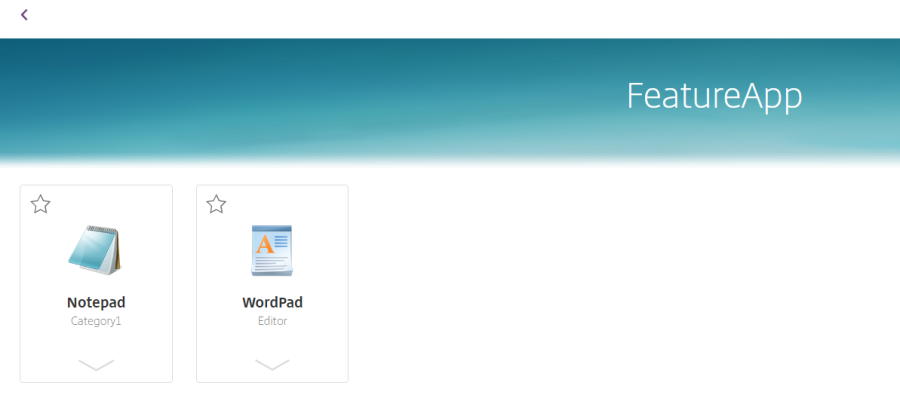
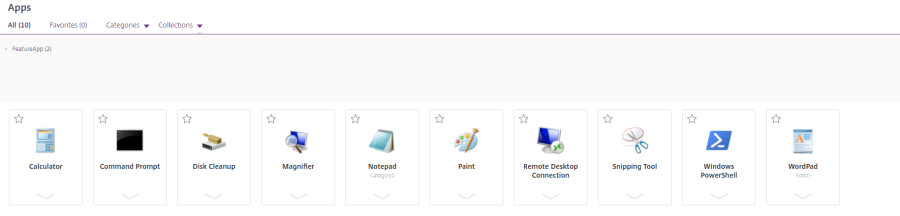
After adding the customization code, here is what it looks like:
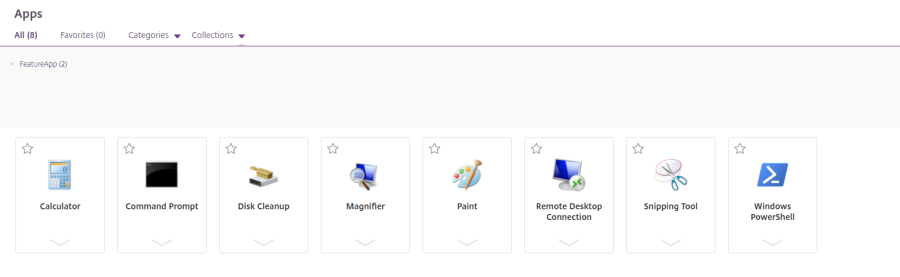
If you use this customization, then consider changing the text string “All Apps” to say “Other Apps” to avoid your users getting confused. To do this edit the strings.en.js file in the custom directory, and add a tag for the AllAppsTitle. For example:
(function ($) {
    $.localization.customStringBundle("en", {
        AllApps: "Other Apps",
        Example1: "This is an example",
        Example2: "This is another example"
    });
})(jQuery);
<!--NeedCopy-->
Before update strings:

After update strings:

Hide featured apps from ‘All Apps’
In this article
Copied!
Failed!