Show a disclaimer message before or after sign in
This example is actually provided in the script.js file, just uncomment it. There are two versions of this code – the first is done pre-login for web browsers, and the second pre-main UI for native clients. If you only want a post-login message, just delete the first function. However just having a pre-login message isn’t a good option, as the login flow is only seen on web browsers (not native clients) and even then isn’t shown if the user is accessing from NetScaler gateway.
var doneClickThrough = false;
// Before web login
CTXS.Extensions.beforeLogon = function (callback) {
    doneClickThrough = true;
    CTXS.ExtensionAPI.showMessage({
        messageTitle: "Welcome!",
        messageText: "Only for WWCo Employees",
        okButtonText: "Accept",
        okAction: callback
    });
};

// Before main screen (both web and native)
CTXS.Extensions.beforeDisplayHomeScreen = function (callback) {
    if (!doneClickThrough) {
        CTXS.ExtensionAPI.showMessage({
            messageTitle: "Welcome!",
            messageText: "Only for WWCo Employees",
            okButtonText: "Accept",
            okAction: callback
        });
    } else {
        callback();
    }
};
<!--NeedCopy-->
After adding the customization code, here is what it looks like:
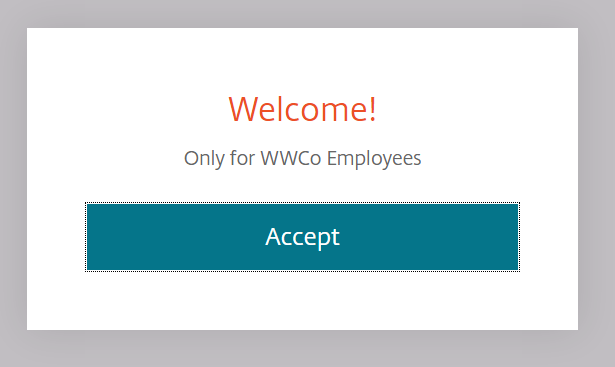
How do I make the click-through disclaimer box have scrollable content?
When you call showMessage you can pass a piece of HTML rather than just a string. That means we can add formatting.
Replace the messageText in any of the previous example calls to showMessage with the following
CTXS.ExtensionAPI.showMessage({
    messageTitle: "Welcome!",
    messageText: "<div class='disclaimer'>rhubarb rhubarb  rhubarb ... rhubarb rhubarb</div>",
    okButtonText: "Accept",
    okAction: callback });
<!--NeedCopy-->
Now add to style.css
.disclaimer {
    height: 200px;
    overflow-y: auto;
}
<!--NeedCopy-->
This is the result:
