
How to access On-Premises Monitor OData API
IMPORTANT: This section is NOT applicable for cloud customers.
The Monitor OData API is also available for on-premises use. However, you will need to adjust the URL and authentication method accordingly.
The request URL is of the form:
http[s]://{MonitorServiceHost}/Citrix/Monitor/OData/v4/Data/{Entity}, followed by the OData query parameters. NTLM is used for authentication, so username and password need to be provided.
In this section, we will demonstrate how to access the local version of the API using Postman as an example.
Use the collection and environment in the Postman

Another way, fork the collection and environment from Postman workspace.
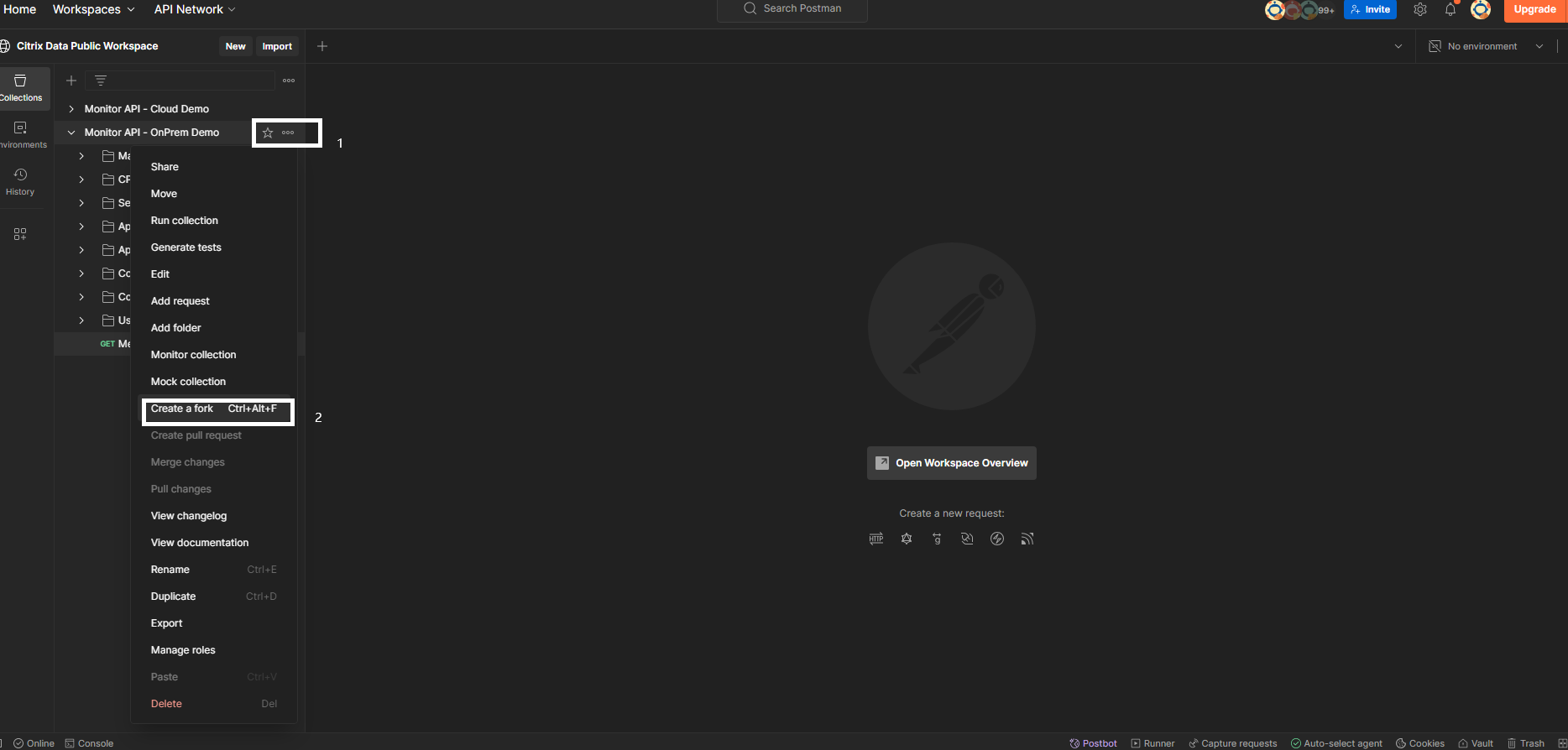
Click the
Create a fork.
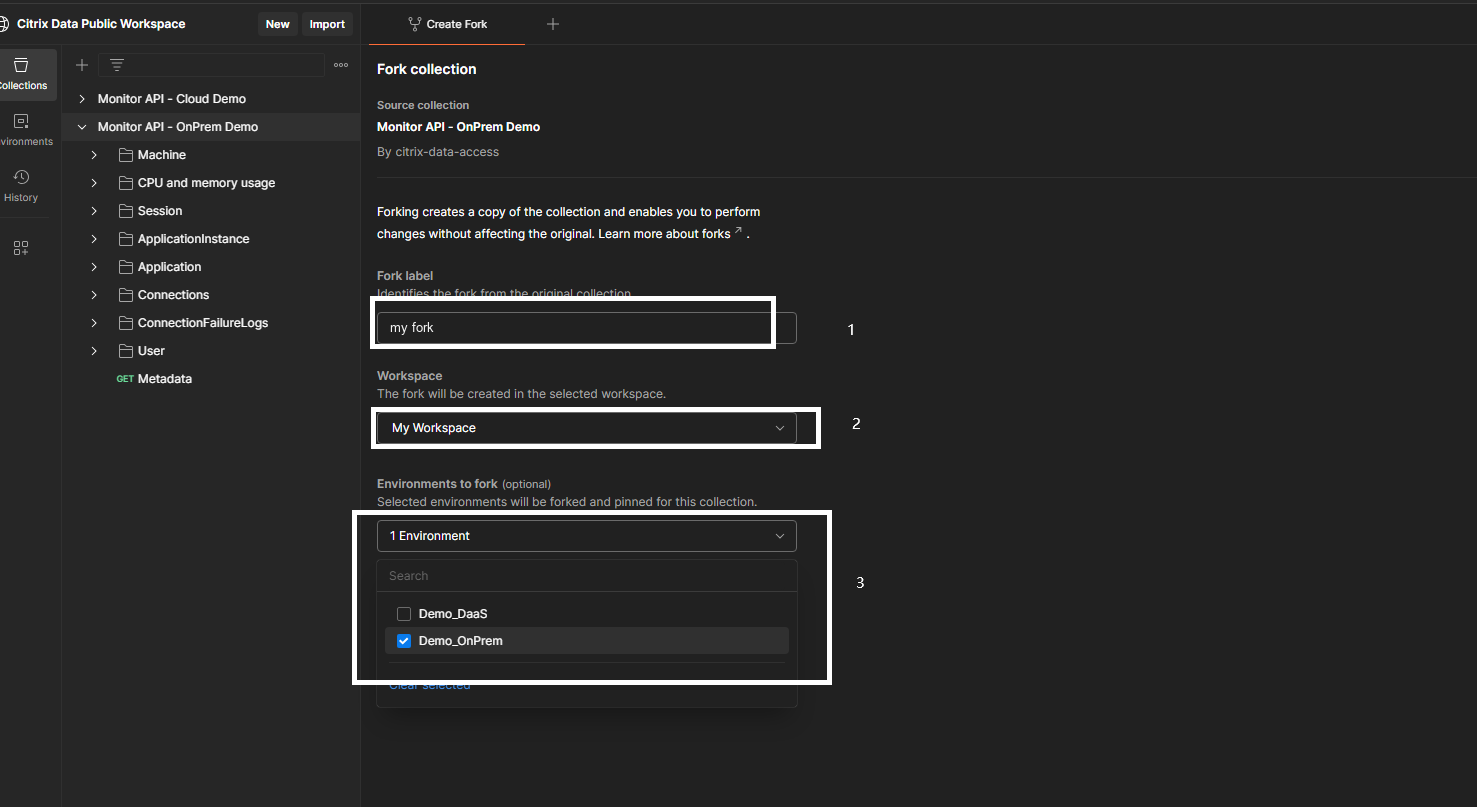
Config the fork.
-
Fork Label: name your fork.
-
Workspace: choose your own workspace.
-
Environments to fork: choose the
Demo_OnPrem.
Config the environment
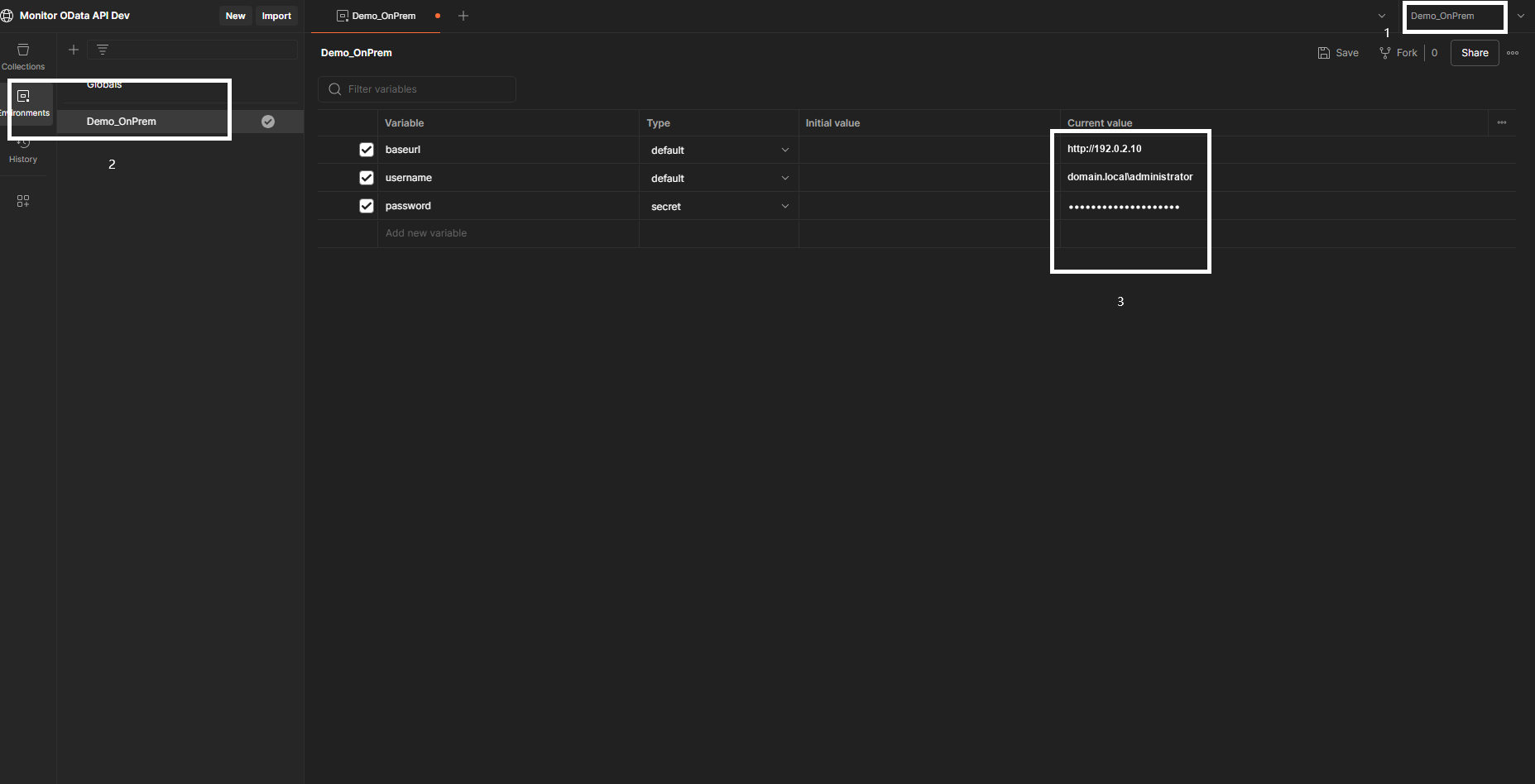
-
Swith the environment to
Demo_OnPrem. -
Click the Environments -> Demo_OnPrem.
-
Config the
Current value-
baseurl: URL with the IP of the DDC.
-
username: in format
doamin\username. -
password: the password of the username.
-
Try the API
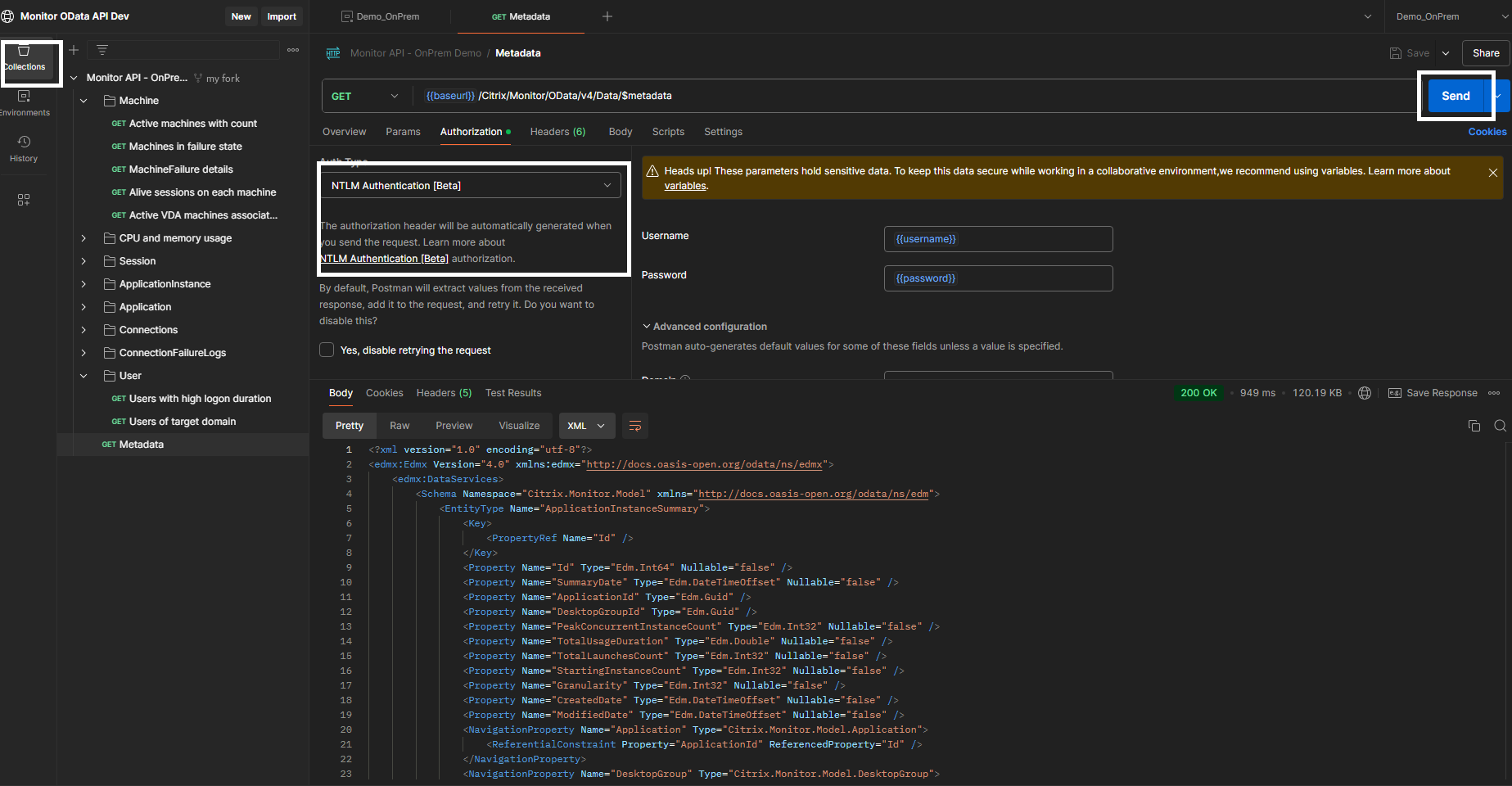
Choose one API in the Collections, then click the
Send.