
Add a footer to every page
There is custom area specifically for this. You can add a one liner to
script.js to set its content:
$('# CustomBottom').html("For ACME Employees Only");
To style this add the following to
style.css.
Note:
You must set position:static to make the scrolling area behave.
# CustomBottom
 {
     text-align:center;
     font-size:30px;
     position:static;
 }
After adding the customization code, here is what it looks like:
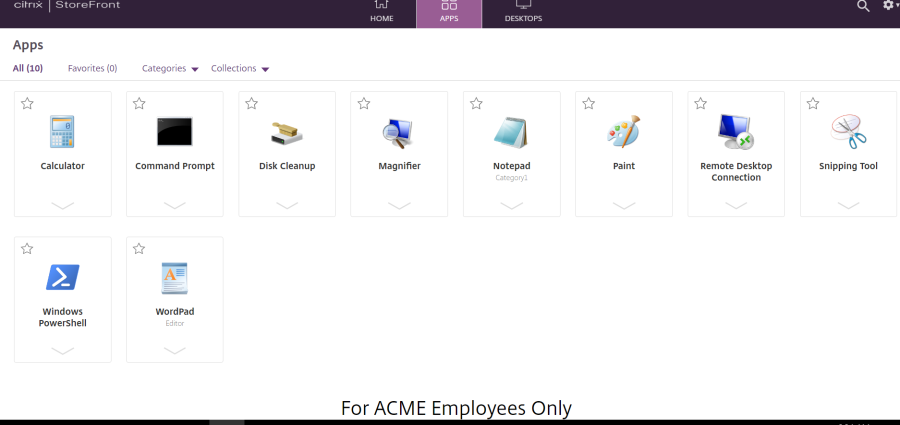
Note:
If you dynamically resize this area using script, you will need to call CTXS.ExtensionAPI.resize() command to let the client know that something has changed.