
Implement the Containment library into your application
To implement the Containment library into your application, perform the following steps:
-
Add
CTXMAMContainment.frameworkto your project on the project target properties, under the General tab if you haven't already added it.Note:Add theCTXMAMCore.frameworkandCTXMAMAppCore.frameworkif you have not added them already. See Integrate MAM SDK to confirm that you have already added the frameworks. If you are not using the framework, ensure that you remove it.If you are running Xcode 11 or later, add the frameworks in the Frameworks, Libraries, and Embedded Content section. Now select Embed & Sign option from the Embed drop-down list.If you are running any other version of Xcode, add the frameworks to the Embedded Binaries section.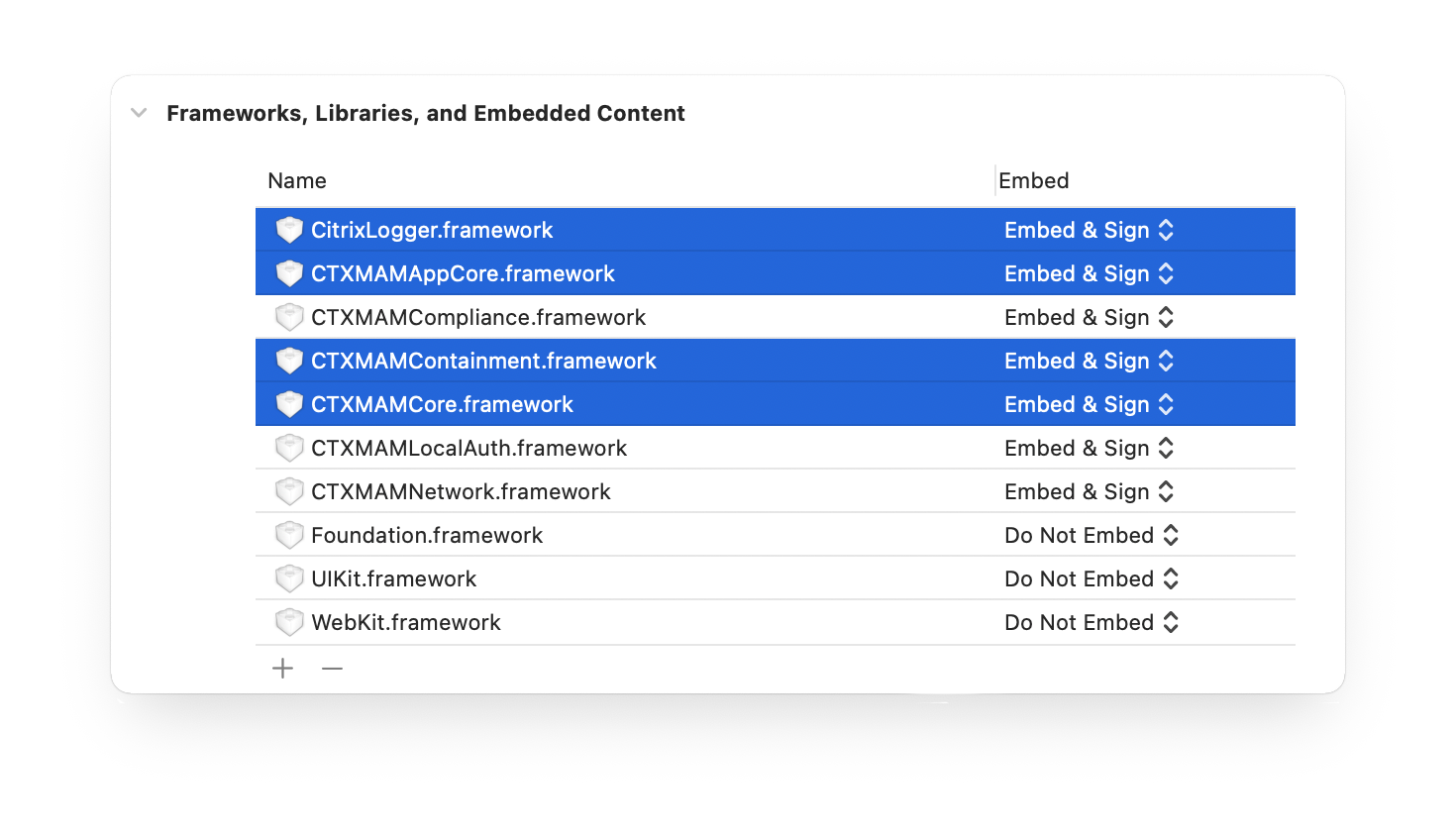
-
Add Imports
-
For Objective-C, add
CTXMAMCore/CTXMAMCore.handCTXMAMContainment/CTXMAMContainment.hinto yourAppDelegate.mfile.#import <CTXMAMCore/CTXMAMCore.h>
#import <CTXMAMContainment/CTXMAMContainment.h> -
For Swift, add
CTXMAMCoreandCTXMAMContainmentinto yourAppDelegate.swiftimport CTXMAMCore
import CTXMAMContainment
-
-
If you want to subscribe to notifications to receive any notification from the Containment library, the source is
MdxNotificationSource_Containment.-
Objective-C
[[CTXMAMNotificationCenter mainNotificationCenter] registerForNotificationsFromSource:CTXMAMNotificationSource_Containment
usingNotificationBlock:notificationHandler]; -
Swift
CTXMAMNotificationCenter.main()?.registerForNotifications(fromSource: CTXMAMNotificationSource_Containment
                                                             , usingNotificationBlock: notificationHandler)
-